Everything on one computer
The server, the Grand Marshal and the cart all run on one computer at the event. You don't need your own data center.
The server, the Grand Marshal and the cart all run on one computer at the event. You don't need your own data center.
Kiosks are so easy to use, no instructions are needed. People navigate the categories to find their image gallery and their photographs.
People order prints and downloads at the kiosk while emotions and excitement are still high.
Every plan has it. Sell through the cart, or sell your own way. Your event, your prices, your rules.
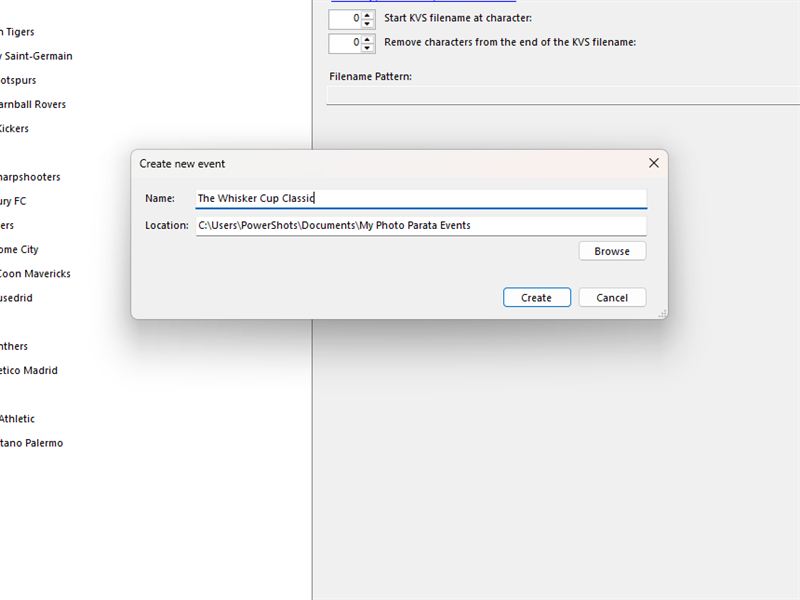
Open the Grand Marshal on your main event computer and create a folder for the new event. Everything for the day lives in that folder. Your machine, your photographs.
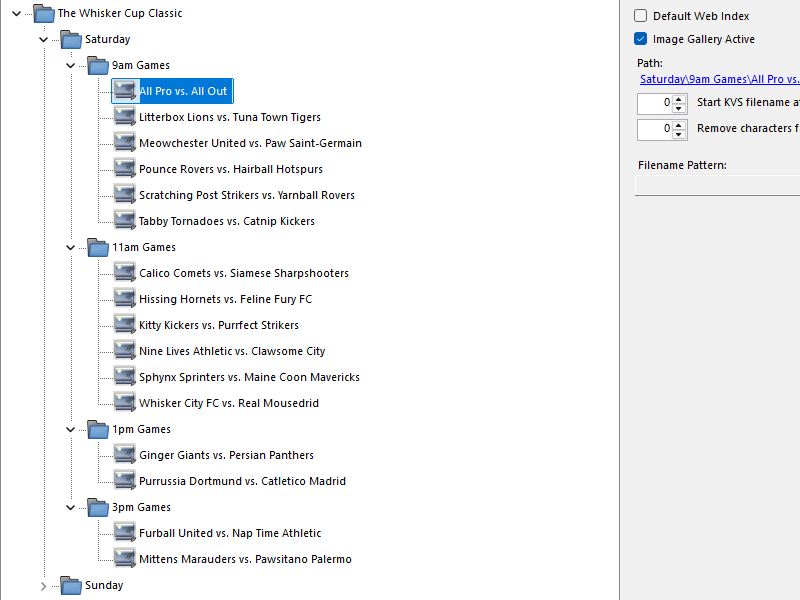
Organize the event into categories within categories, as many levels deep as you need. People at the kiosks follow the path straight to their gallery. No scrolling through every photograph of the event.
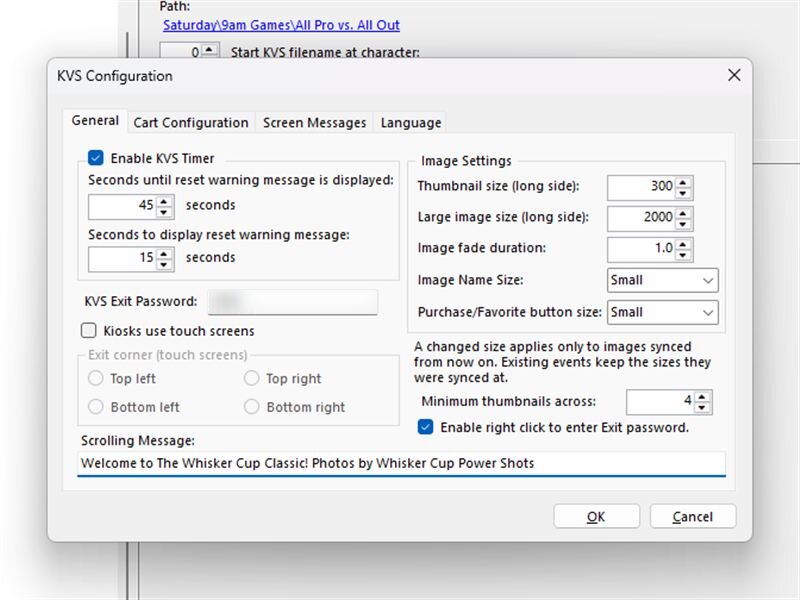
Every kiosk is configured from the Grand Marshal. No walking from kiosk to kiosk. Change a setting at any time, and every kiosk follows.
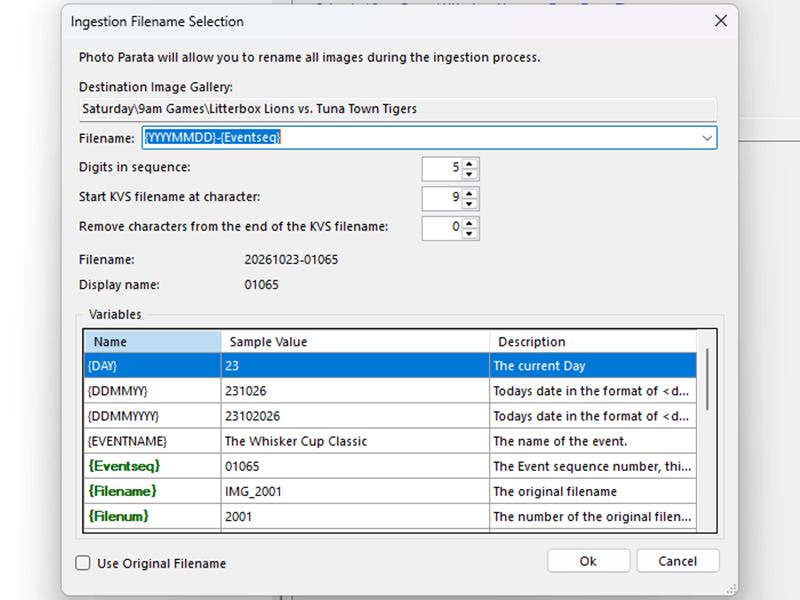
Use the Ingest feature to copy photographs from your memory cards. It renames and numbers them across the whole event or gallery by gallery, you choose. Prefer your own tool? Every image gallery is a hot folder: copy photographs in however you like, and the kiosks show them as they arrive.
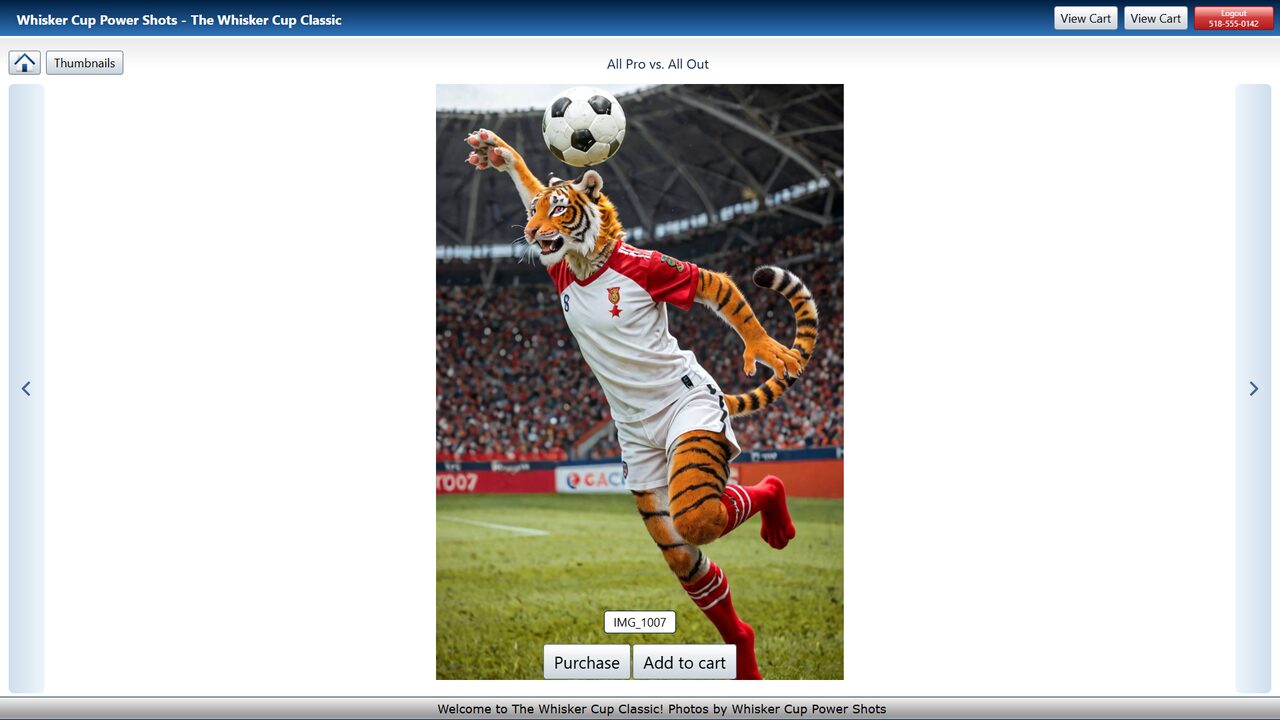
At a kiosk, people open the gallery for their event, see each photograph full screen and step from one to the next. One click marks a photograph as a favorite. Purchase lets them choose the product, the print size and the quantity, right at the kiosk.
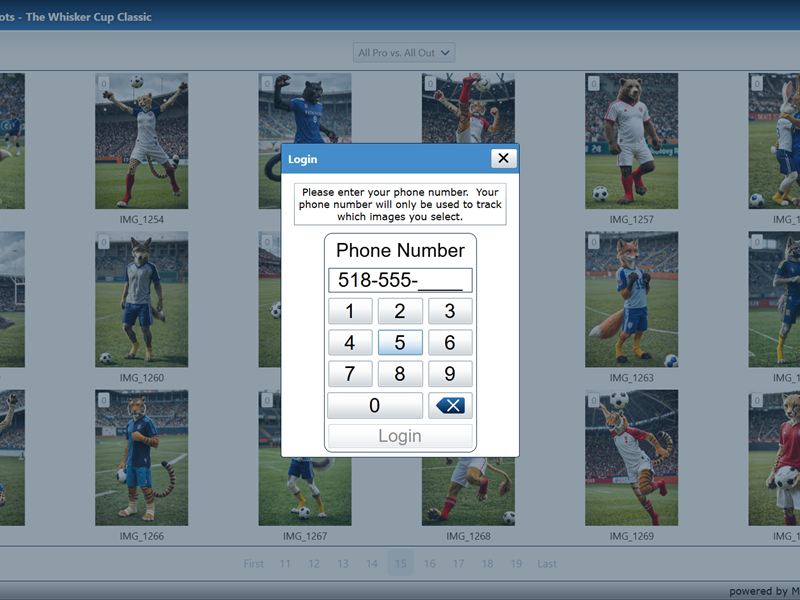
Their phone number is all it takes. Favorites and cart order are saved under it. Come back later, enter the same number, and pick up where they left off.
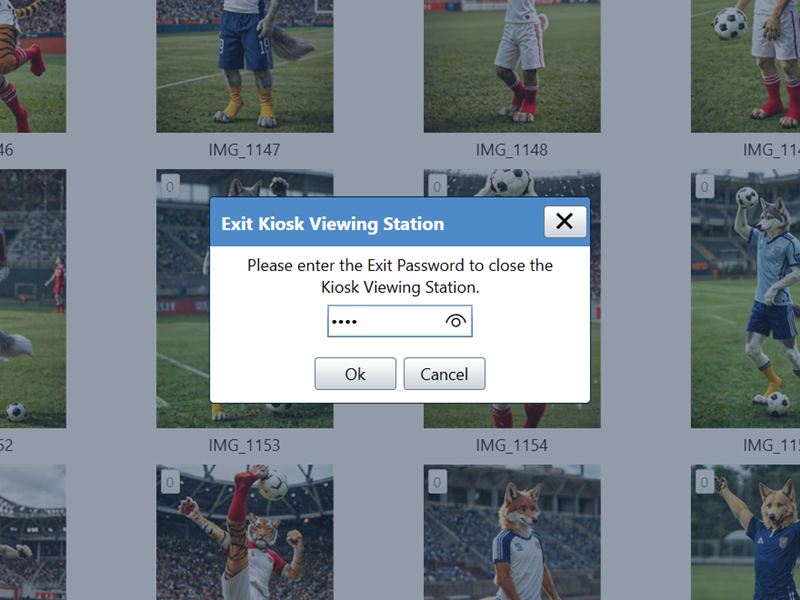
Only your exit password closes the kiosk program. Nobody at the event can leave it. Someone walks away? The kiosk resets for the next person after 60 seconds, or whatever timeout you set.
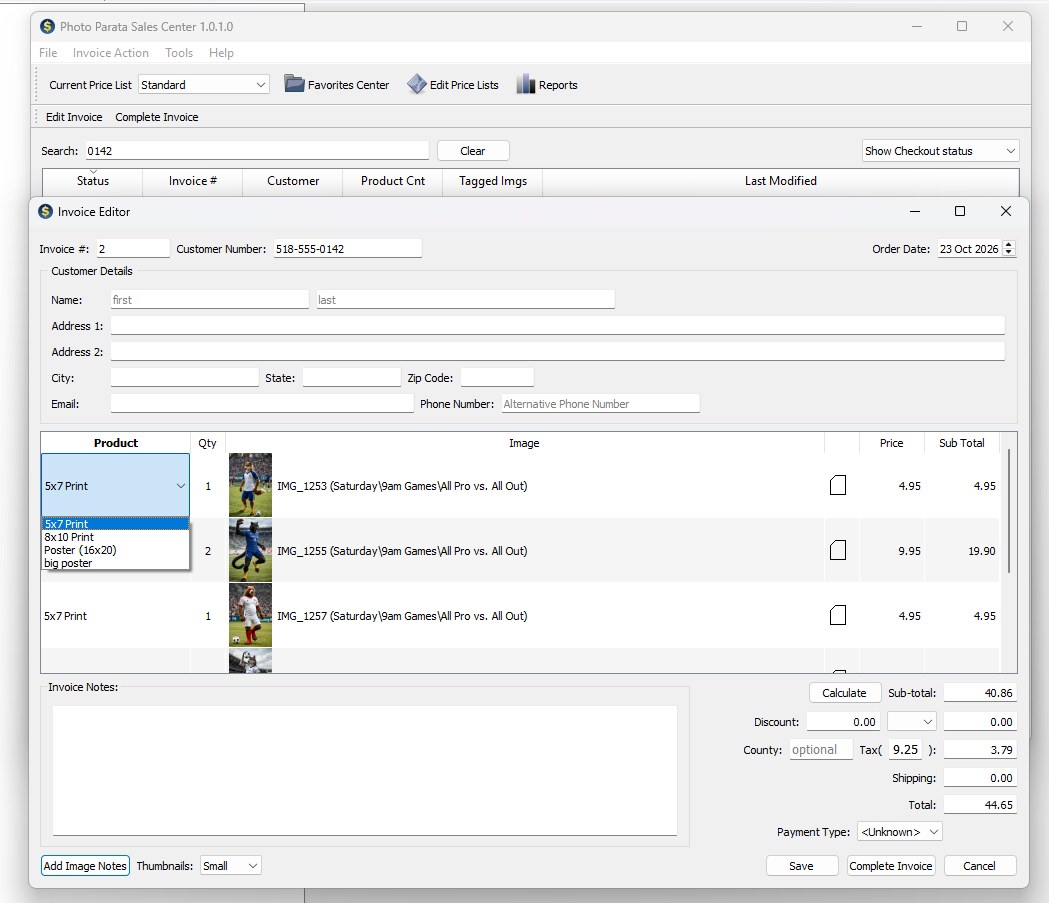
In the Sales Center, type any part of their phone number to find their order. Every product they chose is listed with its photograph. Take payment and complete the order. Photo Parata prints the invoice and copies the photographs into an order folder of their own. From there, your own workflow takes over.
Try a demo today and see how it works before you take it to an event.